![[CCO] Certification Coaching Organization LLC](https://www.cco.us/wp-content/uploads/2015/05/CCO-Logo-2015-d3-500px.png "[CCO] Certification Coaching Organization LLC")
If you’re experiencing problems with blank exams or certain areas of the website, please make sure you are not blocking 3rd party cookies.
Go to Chrome Settings…
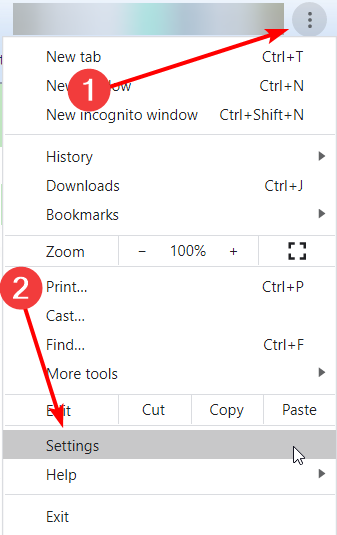
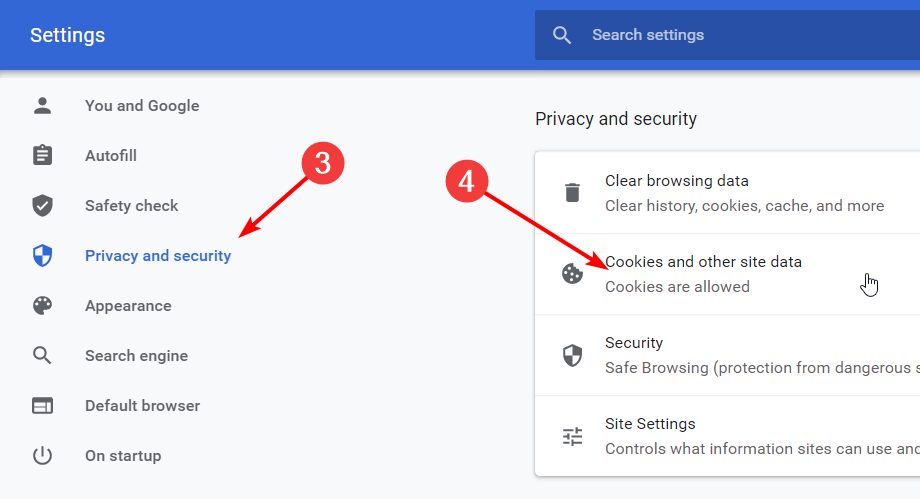
Click on Privacy and Security, then Cookies and other site data.
And make sure your settings look like this…
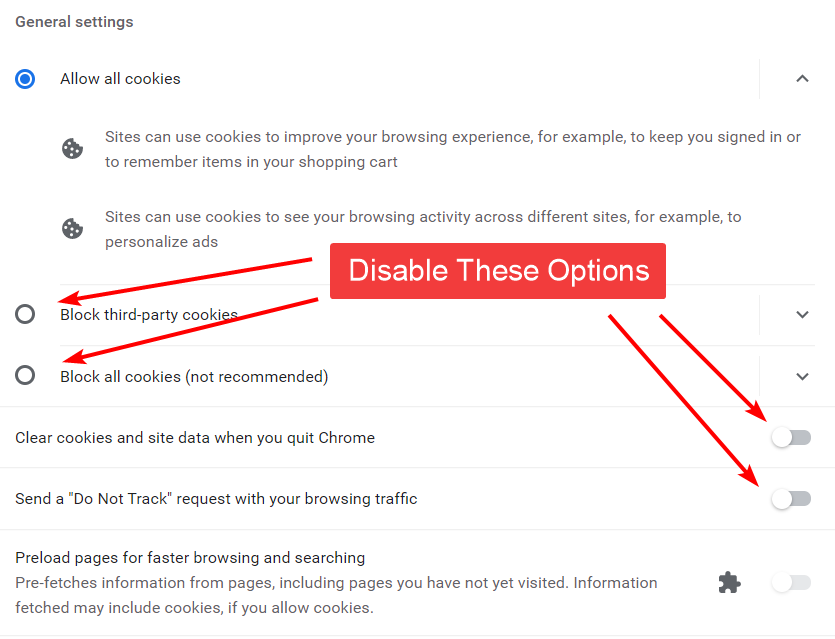
Settings are automatically saved. Close your browser and reopen.